Key takeaways:
- GPT-4.1 is only available through third-party apps like Perplexity AI.
- The model is faster, cheaper, and better at coding than past versions.
- You can’t use GPT-4.1 directly on ChatGPT—API access only.
Ever tried to use the latest OpenAI model and found out it’s not even on ChatGPT? Yeah, I’ve been there. GPT-4.1 just dropped, and it’s not showing up for regular users on the ChatGPT site, not even if you’re paying for Plus. That’s wild, but there’s a way around it. If you want to try GPT-4.1 right now, Perplexity AI is one of the few places you can actually do it.
What Makes GPT-4.1 Different From the Previous Models
So, OpenAI decided to skip the whole 4.5 thing and roll out GPT-4.1. Why? No clue, but here’s what matters: GPT-4.1 is a better coder, has a massive context window (think 1 million tokens), and it’s multimodal. That means it can read text, images, and even videos—but it can’t generate images like DALL-E or GPT-4.0. If you’re working with long docs, this thing can handle it.
There’s also GPT-4.1 Mini and Nano—cheaper, faster, but not as sharp. The main model is still the best for creative writing and code.
Why You Can’t Use GPT-4.1 on ChatGPT Directly
OpenAI isn’t offering GPT-4.1 on ChatGPT right now. Even if you’re a subscriber, it’s not there. The only way to get your hands on it is through the API, which means you need to use a third-party platform. Perplexity AI, u.com, and Global GPT are a few options, but I’m sticking with Perplexity AI for this guide.
If you want to know more about using APIs, check out how to unlock the power of GPT-4.
How to Access GPT-4.1 on Perplexity AI
Getting started is easy. Head to Perplexity AI’s site and start a new chat. Here’s what you do:
- Click the model selector button (usually at the top or near the chat input).
- Pick GPT-4.1 from the list.
- If you want, turn off web access so it only uses its training data.
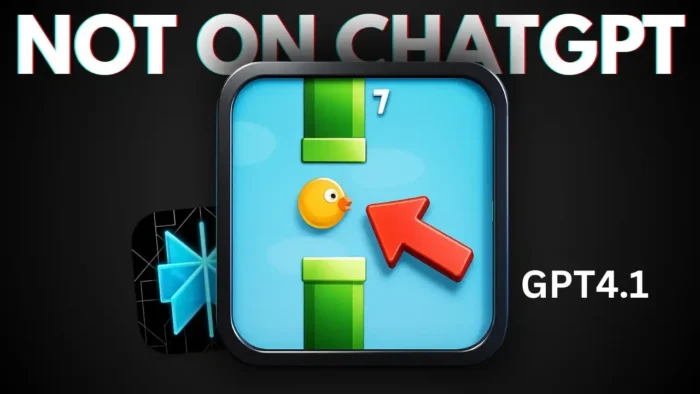
Now you’re chatting with GPT-4.1. You can throw coding questions, riddles, or even ask it to build a browser game. I tried making it code Flappy Bird in HTML/JS, and it actually finished the code—something older models struggled with.
If you want to record your screen while testing these features, here’s a simple way to record your PC screen without third-party apps.
What GPT-4.1 Is Good At (And What It’s Not)
This model is a beast at coding. It’s faster than GPT-4.5 and cheaper too. If you’ve ever waited forever for GPT-4.5 to spit out code, you’ll notice the difference right away. It’s not as quick as Gemini or Sonnet on some tasks, but for coding and creative writing, it’s solid.
The context window is huge, so you can paste in super long docs or chat histories and GPT-4.1 won’t lose track. That’s a big deal if you’re working on big projects or need it to remember details.
But, it can’t make images. If you want to generate art or photos, you’ll need to stick with DALL-E or another tool.
Step-by-Step: Using GPT-4.1 on Perplexity AI
- Go to Perplexity AI’s website.
- Start a new chat.
- Find the model selector (look for a dropdown or button near the chat box).
- Choose GPT-4.1.
- (Optional) Disable web access for pure AI answers.
- Type your prompt and hit send.
That’s it. You’re now using the latest OpenAI model. Try some coding prompts, math riddles, or ask it to summarize a long document.
If you’re curious about how to use AI for creative writing or coding, check out how to write and generate code using AI chatbot ChatGPT.
What About the Mini and Nano Versions?
You’ll see GPT-4.1 Mini and Nano pop up in some places. These are stripped-down versions—think faster, cheaper, but not as smart. They’re good if you need quick answers and don’t care about deep reasoning or complex code.
How Does GPT-4.1 Compare to Other Models?
| Model | Coding Skills | Speed | Price | Context Window | Multimodal | Image Generation |
|---|---|---|---|---|---|---|
| GPT-4.1 | Excellent | Fast | Low | 1M tokens | Yes | No |
| GPT-4.5 | Good | Slow | High | 128K tokens | Yes | Yes |
| Gemini/Sonnet | Great | Very Fast | Varies | Huge | Yes | Yes |
| GPT-4.1 Mini/Nano | Decent | Very Fast | Very Low | Smaller | Yes | No |
Real World Use: Testing GPT-4.1 with Coding and Riddles
I ran a few tests. Threw some math riddles at it—like, “If 5 = 10, then what does 10 equal?” (the answer should be 5, but most AIs miss it). GPT-4.1 didn’t get that one right, but it nailed another riddle about apple and orange prices. Then I asked it to code Flappy Bird in HTML, and it finished the code, which is a big step up from GPT-4.5.
Want to make your own browser game? You can use how to open with live server in VS Code for testing your code easily.
Why Perplexity AI Is a Good Place to Try GPT-4.1
Perplexity AI is quick to add new models. You don’t have to wait days or weeks for updates. As soon as OpenAI drops something new, you can usually find it there. That’s a win if you like to stay on the edge of tech.
Tips for Getting the Most Out of GPT-4.1
- Use the big context window for long docs or detailed chats.
- For coding, ask for step-by-step explanations.
- If you want pure AI answers, turn off web access.
- Test creative writing—see if it’s better than GPT-4.5 for your needs.
- Try the Mini or Nano versions for speed, but expect less detail.
If you need to record and edit videos for your own tutorials, you can combine Perplexity AI’s answers with your own screen recordings.
FAQs
How do I use GPT-4.1 on Perplexity AI?
Just pick GPT-4.1 from the model selector in a new chat. No extra steps.
Can I use GPT-4.1 on ChatGPT?
No, it’s only available through the API, so you need a third-party platform.
What’s the difference between GPT-4.1 and GPT-4.5?
GPT-4.1 is faster, cheaper, has a bigger context window, and is better at coding.
Does GPT-4.1 generate images?
No, it can read images and videos but can’t create them.
Is GPT-4.1 better for coding?
Yes, it’s much better at coding than previous OpenAI models.
Ready to try it? Head to Perplexity AI, pick GPT-4.1, and see what it can do. 🚀