Key takeaways:
- AI website builders now handle coding, hosting, and setup
- You can launch a SaaS site with just a prompt
- Expect some trial and error before your app is ready
So you want to create a SaaS website but don’t want to deal with coding, hosting, or any of the tech headaches? You’re not alone. Most people just want to launch, not get stuck in setup. Now, with the right AI tool, you can go from idea to working site in about a minute. I’ll break down how it works, what to expect, and why you still need to tweak things to get it live.
Table of Contents
- AI Website Builders Can Launch a SaaS with Just a Prompt
- Comparing Easy Site and Hero UI: What Each AI Builder Does Best
- What Happens When You Give the AI a Real Prompt
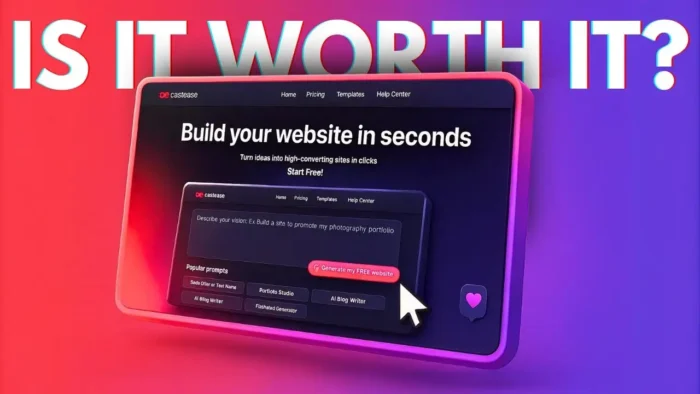
- The Real Cost of AI SaaS Builders: Is It Worth It?
- What Features Do These AI Platforms Actually Handle?
- Expect Some Bugs and Back-and-Forth
- What About Security and API Keys?
- Is AI Website Generation for Everyone?
- Table: Easy Site vs Hero UI
- Final Thoughts: Should You Use AI to Build Your SaaS?
- FAQs
- How fast can I launch a SaaS with AI website builders?
- Do I need to know how to code?
- Is the $20/month price worth it?
- What if my AI-generated site has errors?
- Can I use my own domain and payment system?
AI Website Builders Can Launch a SaaS with Just a Prompt
Let’s be real: there are a bunch of AI website builders out there. But most just spit out a landing page or a simple blog. What makes this new breed of tools different is they handle the whole stack. I’m talking coding, hosting, database, SEO, custom domains, and even payment integration. You give the AI a prompt describing your app, and it tries to build the whole thing for you.
Easy Site and Hero UI are two platforms that do this. Both let you type out what you want—like “I want an OCR tool where users upload an image and get text back”—and then they get to work. The process is simple: log in, paste your prompt, and wait.
Comparing Easy Site and Hero UI: What Each AI Builder Does Best
Easy Site goes for completeness. It tries to generate all the files, the code, and the backend you’d need to actually launch a SaaS tool. It’s slow, but when it’s done, you’re close to being able to deploy and make money.
Hero UI is faster and focuses on making your site look good. The design is usually more polished, but you might have to add more functionality yourself. Both platforms let you upload assets, set up domains, and tweak the design after generation.
What Happens When You Give the AI a Real Prompt
I tried building a simple OCR tool. The prompt was basic: upload an image, extract text, use the MR AI API. I pasted this into both platforms. Easy Site took its time, building out multiple files and writing long code. Hero UI finished faster, with a slick interface and basic features.
Uploading an image and running the tool, both sites threw errors at first. That’s pretty normal. The AI sometimes hardcodes things like API keys (bad practice, but fine for testing), and the first version usually needs fixes. You’ll have to go back and forth with the AI, tweaking the prompt or fixing bugs, before your app works perfectly.
The Real Cost of AI SaaS Builders: Is It Worth It?
Here’s the catch: if you’re just testing, you can use the free tier. But if you want to build something serious, you’ll need a pro subscription. Easy Site charges $20/month for 120 messages. That’s not cheap, especially if you’re iterating a lot. Hero UI is about the same price, but you get a better design out of the box.
The value comes from how much the platform does for you. You’re not just paying for code generation. You’re getting hosting, database setup, SEO, payment integration, and more. If you want to launch fast and skip the tech grind, the price might be worth it.
What Features Do These AI Platforms Actually Handle?
Once your site is generated, you can set up:
- Database
- Custom domains
- Chatbots
- Webhooks
- SEO tools
- Mailing lists
- Stripe payments
It’s a full package. You can tweak and add features after the initial build, but you’ll need to be on the paid plan for most advanced stuff.
Expect Some Bugs and Back-and-Forth
Don’t expect perfection on the first try. The AI will get you 80% of the way, but you’ll need to test, fix errors, and maybe even ask the AI to regenerate parts of the code. This is normal. Think of the AI as a super-fast assistant, not a magic genie.
If you’re new to SaaS or want to see how AI can help with coding, check out this guide on how to write and generate code using AI chatbot ChatGPT. It’ll give you a sense of what’s possible and where you might run into limits.
What About Security and API Keys?
One thing to watch out for: never hardcode sensitive info like API keys in your code. AI might do it if you ask, but it’s a bad idea for anything going public. Always use environment variables or secure storage. For more on handling API keys, see this quick guide to OpenAI API keys.
Is AI Website Generation for Everyone?
If you want to launch a side project, test an idea, or just skip the boring setup, these tools are a game changer. You still need to understand your product, test it, and polish the details. But now, you can go from idea to prototype in about a minute.
If you’re looking to make your site even faster, check out tips to make your WordPress website faster. Speed matters for SaaS too.
Table: Easy Site vs Hero UI
| Feature | Easy Site | Hero UI |
|---|---|---|
| Speed | Slower (full stack) | Faster (UI focus) |
| Design Quality | Functional | Slick, modern |
| Code Generation | Full backend & front | Mostly front-end |
| Price | $20/mo (120 msgs) | $20/mo (premium) |
| Best For | Launching SaaS fast | Pretty landing pages |
Final Thoughts: Should You Use AI to Build Your SaaS?
If you want to skip the tech grind and just launch, these platforms are worth a look. You’ll still need to test, fix bugs, and polish your app. But with AI, you can go from idea to live site in record time. Just be ready to pay for the pro plan if you want all the features.
And if you’re building something for real users, always double-check your code and security setup. AI helps, but you’re still the boss.
FAQs
How fast can I launch a SaaS with AI website builders?
You can get a working prototype in about a minute, but expect to spend more time testing and fixing bugs.
Do I need to know how to code?
Nope. The AI handles coding, but knowing some basics helps if you want to tweak things.
Is the $20/month price worth it?
Depends. If you value speed and having everything handled for you, it can be. If you’re just testing, stick to the free tier.
What if my AI-generated site has errors?
That’s normal. You’ll need to go back and forth with the AI to fix issues before your site is ready.
Can I use my own domain and payment system?
Yes. These platforms support custom domains and Stripe payments, but you’ll need a paid plan for full access.