Key takeaways:
- Proxy AI Agent acts like a real user on the web, handling tasks for you.
- You can use Proxy for free, no pro subscription needed for basic features.
- Proxy solves problems on its own and can automate repetitive tasks.
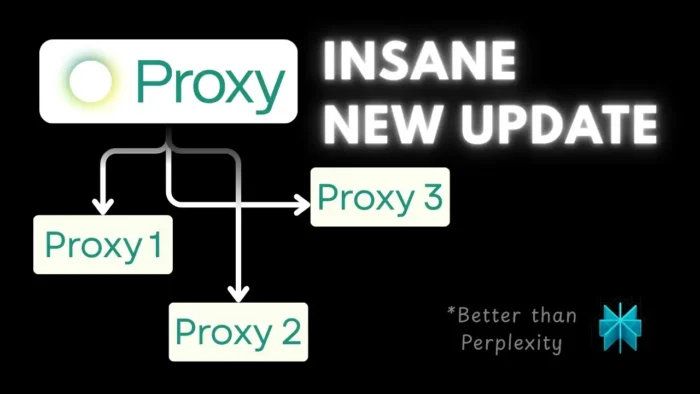
Ever wanted an AI agent that actually does stuff for you, not just spits out text? The Proxy AI Agent from Convergence AI is changing the game. This tool can visit websites, click buttons, scroll, and even download files—just like a real person. If you’re tired of AI that only gives answers but never takes action, you’ll want to see what Proxy can do.
I’ll show you how Proxy works, how to control it with simple prompts, and what kind of jobs you can hand off to it. By the end, you’ll know how to get started and maybe even have a few ideas for automating your own workflow.
What Makes Proxy AI Agent Different From Regular AI Tools
Proxy isn’t just another chatbot. While most AI tools (like ChatGPT or Perplexity) can answer questions, they can’t interact with web pages the way humans do. Proxy can:
- Visit any website
- Click buttons and links
- Scroll through pages
- Download files and images
- Handle pop-ups and unexpected messages
This means you can ask Proxy to do things like download a free image, fill out a form, or manage your website posts. It’s like having a virtual assistant who actually gets things done.
Getting Started With Proxy AI Agent
First, you’ll need to head over to the Convergence AI website. There’s a login with email or Google, and then you’re dropped into an interface that looks a lot like ChatGPT. On the left, you’ll see navigation and chat history. In the center is where you type your prompt. At the bottom, there’s a bunch of templates—these are handy if you want to skip writing your own prompts.
If you’re just starting out, don’t worry about the pro subscription. Everything I’m showing here works for free users.
Sending Your First Prompt
Let’s say you want Proxy to find a free picture of a golden retriever and download it. Just type out your instructions in plain English. Proxy will show you a step-by-step breakdown of what it’s about to do. You’ll see a live snapshot of what Proxy “sees” in its browser window.
Proxy will search for the image (usually on Unsplash), check if it’s free, and download it. If it runs into a paywall or a pro-only image, Proxy will notice and try another option. You don’t have to babysit it—Proxy figures out errors and works around them.
Once done, you’ll get a message and an email confirming the task is finished. You can then download the file to your own computer.
Automating Tasks With Proxy
If you want Proxy to repeat a task (like checking for new images every day), you can set it to run automatically. Name your task, pick the schedule, and let Proxy handle it in the background. This is optional, but it’s great for repetitive work.
Using Proxy to Control Your Website
Proxy can even log in to your website and manage posts. For example, you can tell it to:
- Log in with your username and password
- Go to the Posts section
- Find a post by title
- Delete the post
If you’re using the free version, Proxy will ask for your credentials each time. Pro users can save credentials for smoother automation, but you don’t need that for basic stuff.
Proxy follows your steps, deals with confirmation pop-ups, and finishes the job. It’s smart enough to notice if something unexpected happens (like a confirmation dialog) and handle it.
Want to learn how to keep your WordPress site tidy? Check out how to delete WordPress theme or how to remove a domain from Cloudflare if you’re managing your own site.
Templates: Fast-Track Your Workflow
Proxy comes with a bunch of templates you can use right away. Some are labeled deep work (these are for pro users), but most are free. Just pick a template, fill in the blanks, and run the task.
For example, the Research a Person template will search Google, Wikipedia, and other sites to gather info. Proxy lists the sites it visited and gives you a summary. If your task is just to get info, though, a text-based AI like Perplexity is usually faster.
When Should You Use Proxy (and When Not To)
Proxy shines when you need to interact with websites—clicking, downloading, filling out forms, or navigating menus. If your task is just to read or summarize text, stick with regular AI tools. They’re faster and can process more data at once.
But if you need to automate web tasks, Proxy is your go-to. Imagine automating your content updates, cleaning up old posts, or grabbing new images every morning. If you’re into web management, you might also want to see how to update your WordPress website or how to set up automatic email templates.
Proxy AI Agent Pro Features (And Why You Might Not Need Them Yet)
The pro subscription ($20/month) adds features like saved credentials and deep work templates. For most people, the free version is enough to get started and see real results.
Troubleshooting and Tips
- If Proxy asks for credentials, it’s because it needs to act as you.
- If you get stuck, check the template section for ideas.
- Proxy can handle errors and unexpected web changes on its own.
- You can automate tasks, but start with manual runs to see how it works.
Wrapping Up
Proxy AI Agent is a wild step forward for web automation. It sees and interacts with the web like a real person, so you can hand off boring or repetitive tasks and focus on what matters. If you want to keep your site running smooth, you might also want to automatically create restore points in Windows or clean up your PC for better performance.
Give Proxy a try, play around with prompts, and see what you can automate next. Got questions? Check the FAQ below!
FAQs
How do I start using Proxy AI Agent?
Just sign up at Convergence AI, log in, and start typing your prompt. No pro subscription needed for basic features.
Can Proxy handle login forms and passwords?
Yes, Proxy can log in for you. Free users need to provide credentials each time, while pro users can save them.
What kind of tasks can Proxy automate?
Anything that involves clicking, downloading, or interacting with websites—like managing posts, grabbing images, or filling out forms.
Is Proxy better than regular AI for research tasks?
Proxy is best for interactive tasks. For pure research or text summaries, use a text-based AI instead.
Can I automate tasks to run on a schedule?
Yes, Proxy lets you set tasks to run automatically, daily or at custom times. Just set it up in the automation section.