Key takeaways:
- cofyt.app lets you chat with AI about any YouTube video
- It reads the transcript, not just the title or description
- Clean UI, but some features are missing compared to Perplexity
Ever found a long YouTube video and just wished you could ask questions about it, instead of scrubbing through the whole thing? I get that pain. Most AI tools only grab the title or description, so you barely get any real answers. But cofyt.app is doing something different. You just drop a YouTube link, and you can chat with the AI about the actual content. I’ll show you how it works, what’s missing, and if it’s really better than Perplexity for YouTube research.
How cofyt.app is Different From Perplexity and Why That Matters
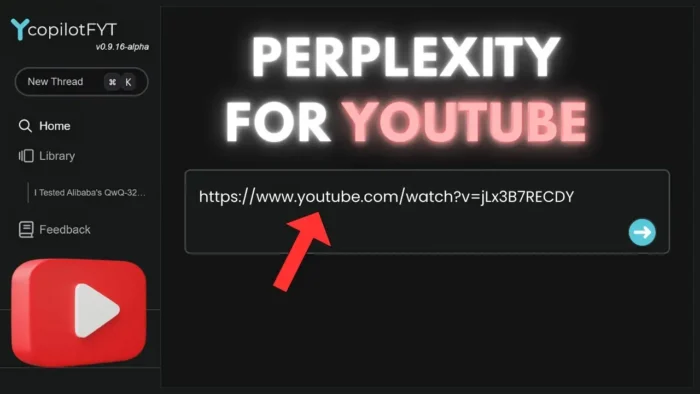
So, this isn’t Perplexity—even though it looks a lot like it. The site is cofyt.app (or ci.app). The main idea: paste a YouTube URL, and you can chat with the AI about the video. No need to watch the whole thing. That’s a game-changer for people who want to pull info from long videos fast.
You only get Google sign-in, which is fine for most. The UI is stripped down. No Spaces, no library, no fancy model selection. Just a simple box for your video link and a chat window.
What cofyt.app Can Do With YouTube Videos
I tested it with a technical video comparing the qwq 32b AI model and DPS R1. The tool actually pulled up info from the transcript, not just the title or description. That’s rare. Most AI chatbots, even Perplexity, sometimes can’t access the full transcript. Here, you get bullet-point answers, which are easier to read and more direct.
It picked up on details like:
- qwq 32b has fewer parameters but performs close to DPS R1
- It’s more cost-effective per million tokens
- Struggles with case sensitivity and complex reasoning
- Both models aren’t great at generating SVG images, but DPS R1 does a bit better
That’s exactly what was in the video. So, the transcript parsing is solid.
If you want to know how to download YouTube videos for offline viewing, check out how to download YouTube video from all devices.
Where cofyt.app Falls Short Compared to Perplexity
Some stuff is missing. You can’t click on follow-up questions like you can in Perplexity. The collection and share buttons don’t work yet. There’s no way to pick which AI model you want. It’s just the basics, which is fine for a side project, but if you’re used to all the bells and whistles, you’ll notice.
If you’re curious about how to open the transcript of a YouTube video manually, here’s a guide: how to open transcript YouTube video.
Real-World Use: Does It Get the Details Right?
I tried asking about specific questions used in the video, including some tricky ones with case sensitivity and SVG image generation. The AI got those right, even mentioning the exact questions and how each model responded. That’s rare. Usually, AI tools just skim the surface.
If you want to create a playlist of videos to research later, see how to make and build custom YouTube video playlists.
The Good, The Bad, and What’s Next
The good:
- Reads the full transcript, not just the title/description
- Bullet-point answers are easy to scan
- Great for summarizing long videos or pulling out technical details
The bad:
- No clickable follow-ups or advanced navigation
- Some UI buttons don’t work
- No info on which AI model is running under the hood
If you’re someone who likes to summarize or search YouTube videos for research, this tool is worth a try. And if you need to download subtitles for a video, check out how to download YouTube subtitle.
How Does cofyt.app Compare to the Usual YouTube AI Tools?
Here’s a quick table comparing cofyt.app and Perplexity for YouTube research:
| Feature | cofyt.app | Perplexity |
|---|---|---|
| Reads transcript | Yes | Sometimes |
| Clickable follow-ups | No | Yes |
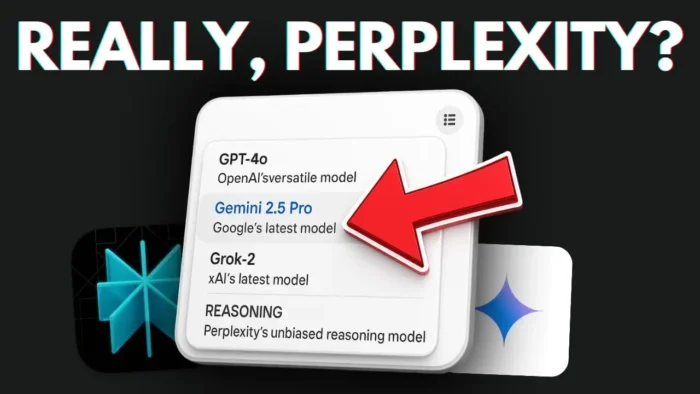
| Model selection | No | Yes |
| UI | Clean, simple | More advanced |
| Free to use | Yes | Yes |
Who’s Behind cofyt.app and What’s the Catch?
The creator is Rui Noera (not sure on the spelling). It’s a new project, so don’t expect a ton of documentation or support. Some features are clearly still in progress. But for a free tool, it’s already doing something most AI chatbots can’t: pulling real answers from YouTube transcripts.
If you want to know how to automatically skip YouTube ads, check out automatically skip YouTube ads.
Final Thoughts: Should You Use It?
If you’re tired of scrubbing through long videos or getting weak answers from AI tools that only read the title, cofyt.app is a breath of fresh air. It’s not perfect, but it’s already better at pulling info from YouTube than most. I’ll keep using it and hope the developer adds more features.
And if you want to watch YouTube while using another app, check out how to watch video while using another app at the same time.
FAQs
How does cofyt.app work?
Just paste a YouTube URL and chat with the AI about the video. It reads the transcript, not just the title.
Can it summarize any YouTube video?
Yes, as long as the video has a transcript. It works best with videos that have clear audio and captions.
Is it free to use?
Right now, yes. You just need to sign in with Google.
Does it support clickable follow-up questions?
No, not yet. You have to type your follow-ups manually.
Can I choose which AI model to use?
Nope, there’s no model selection option yet. Maybe in the future.
👀 That’s it! If you like tools like this, keep an eye out for more updates.