
As a popular media storage service, Google Photos lets you organize photos and videos from your devices and even back them up automatically. But of course, these items can be deleted on the platform and could be gone after a few months.
To prevent that from happening, it’s encouraged to restore your deleted items on Google Photos as soon as possible, before it’s too late — anything inside the Trash folder will be the subject of permanent deletion. So, here is how you can restore your photos quickly.
Table of Contents
#1 Restore items on the Google Photos app
This guide can be followed on Google Photos app for Android and iOS.
1. Launch the Google Photos app, head to Library and enter Trash.
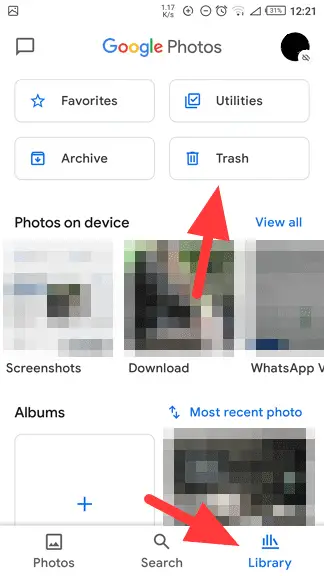
2. Hit the Select button on the top.
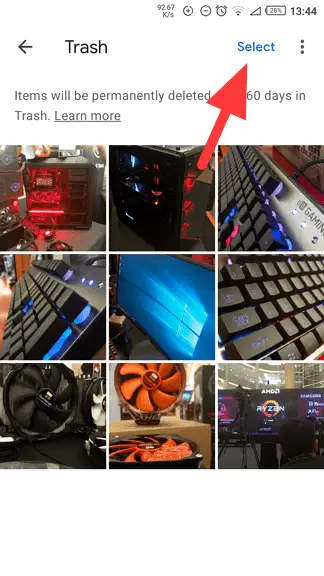
3. Mark each item you want to restore, then tap Restore.
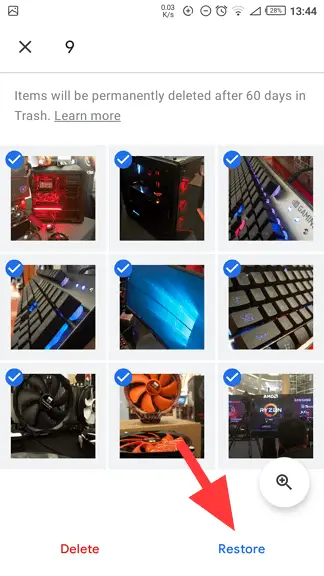
4. Confirm the action by tapping the Restore button again.
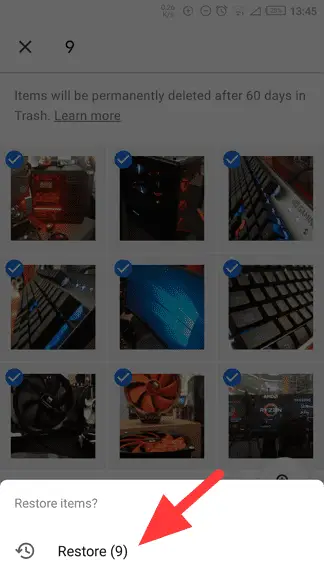
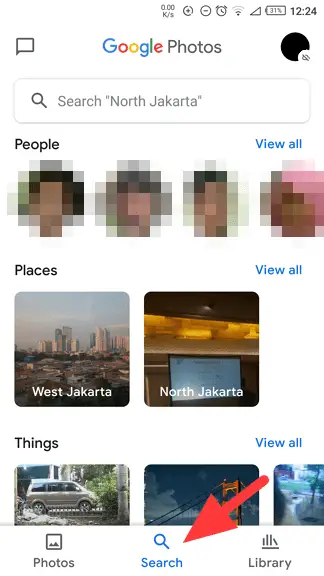
5. Now these items have been restored. If you not sure where to find them, the Search menu may help you it’s categorizing photos based on their content.
#2 Restore items on Google Photos desktop
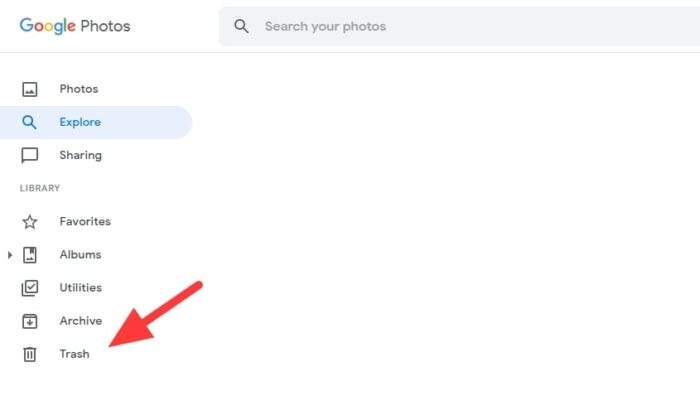
1. Head to Google Photos and click the Trash folder.
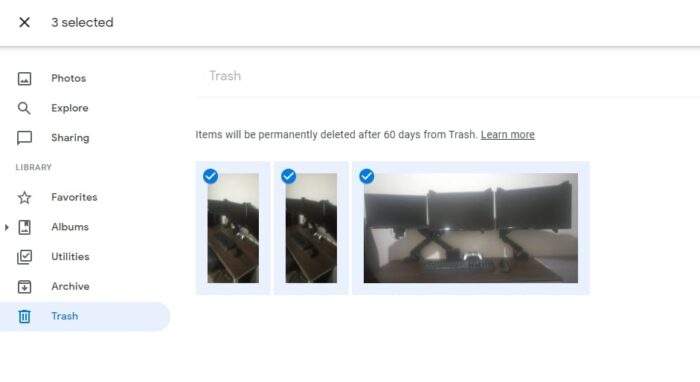
2. Now, select items you want to restore (check mark icon).
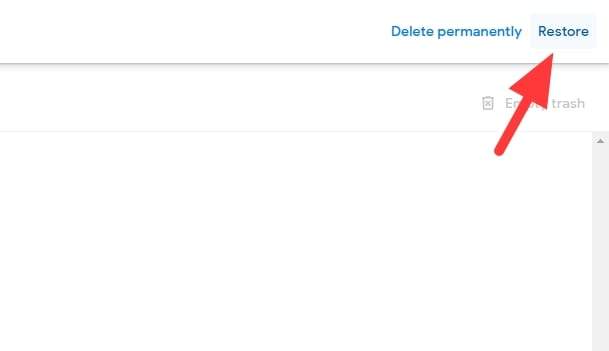
3. On the top right corner, hit the Restore button.
4. Confirm Restore.
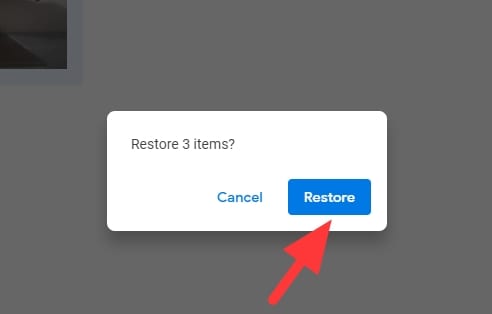
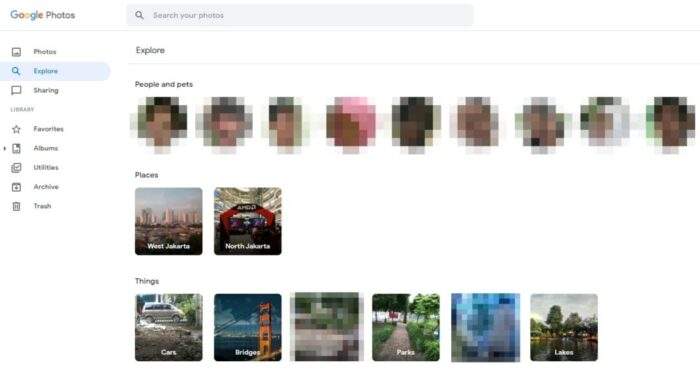
5. The photos have been restored. If you not sure where you stored them before, go to Explore to quickly find them.
Again, as a reminder, your deleted photos on Google Photos will stay in Trash for up to 60 days since the deletion. After that, they will be removed permanently and there is no way to restore them. So, take action before it’s too late.
Alternatively, you may move photos and videos to the Archive folder to hide them but they will be stored safely and searchable.
Extra Tips to Safeguard Your Google Photos
Prevent accidental deletions
To avoid losing important memories, consider enabling the Archive feature for photos you want to keep but don’t need in your main library. This way, they’re hidden from view but remain safely stored and searchable.
Enable backup and sync
Make sure the Backup and Sync feature is turned on in your Google Photos settings. This ensures all your photos are securely saved in the cloud, even if something happens to your device. You can learn more about setting up backups on Google’s support page.
Check for multiple accounts
Sometimes photos might seem missing because they’re stored under a different Google account. Double-check that you’re logged into the correct account where your photos were backed up.
Explore recovery tools
If you’ve missed the 60-day trash window, third-party recovery tools like Recoverit or DiskDigger can help retrieve deleted files from your device’s memory or SD card.
FAQ
Can I recover photos after 60 days?
Once the 60-day period has passed, photos are permanently deleted from the Trash. However, you can contact Google Support to request recovery within a limited timeframe if your case is valid.
How do I prevent losing photos in the future?
Enable Backup and Sync in Google Photos settings to automatically save your media to the cloud. Additionally, avoid emptying the Trash unless necessary.
What happens if my storage is full?
If your Google account storage is full, new photos won’t back up. Free up space by deleting unnecessary files or purchasing additional storage through Google One.
Are archived photos safe?
Yes, archived photos remain in your account and are not deleted unless you manually remove them. They’re also searchable using keywords or categories.
For more detailed instructions on managing your Google Photos, visit Google’s official Help Center!



Yes ma’am or sir to whom this may concern please help me recover my drivers license video photos and my personal pictures from my old android cellphone gallery that was stolen from me?