Google Search Console is an invaluable free tool that provides insight into how Google interacts with your website. By verifying your site on Search Console, you gain access to key information like search analytics, user experience reports, and more. This data can help you optimize your SEO and fix technical issues like crawl errors.
One of the first steps to leveraging Search Console is to verify that you own your website. Google offers a few different verification methods, but using a domain TXT record is one of the easiest options for most webmasters.
In this guide, we’ll walk through the entire process of verifying your domain on Google Search Console step-by-step.
Before we continue, make sure you:
- Have a Google account
- Own or manage the website domain
- Have access to edit DNS records for the domain (like Cloudflare)
Now, let’s get started.
Verifying Website Using Domain Method
1. Log in to your Google Search Console account.
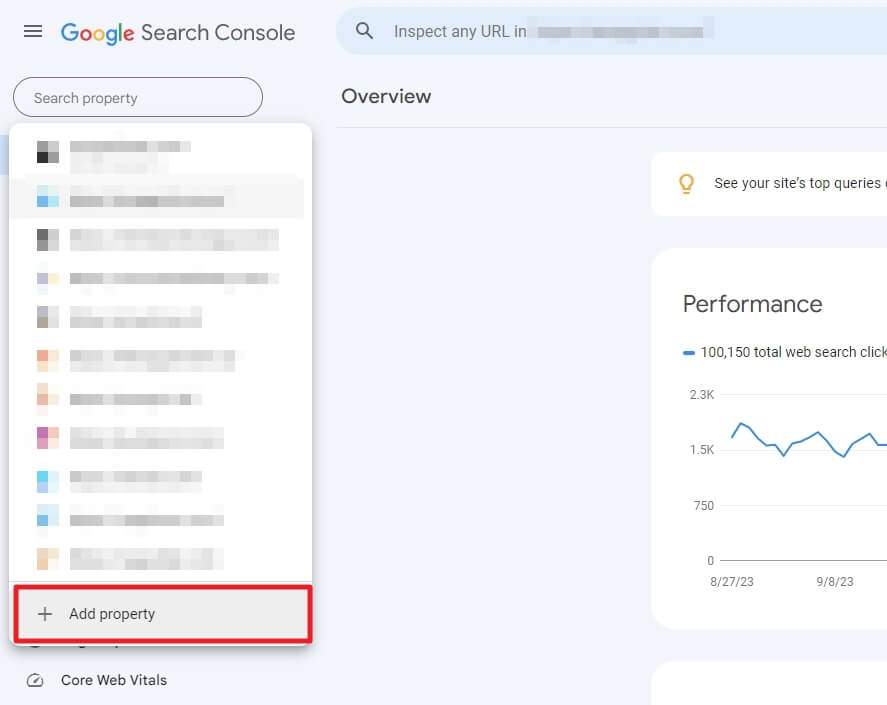
2. If you already have websites verified before, open the website list and then click Add property.
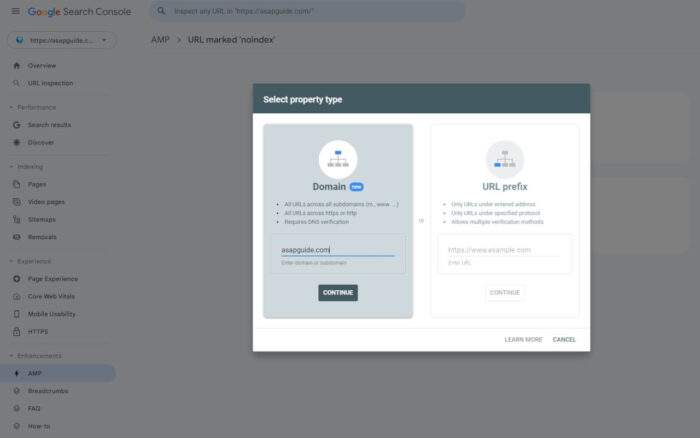
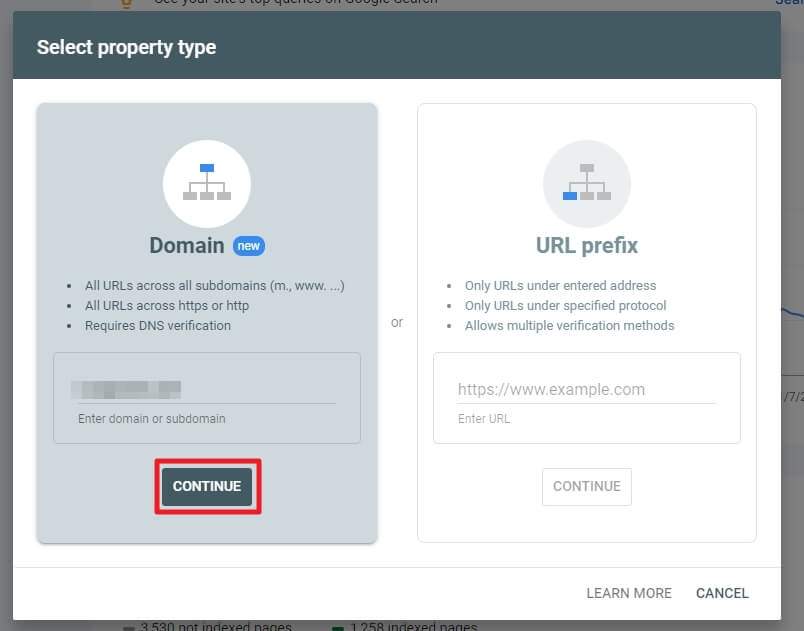
3. Select the Domain method, enter your website domain or subdomain, and click Continue.
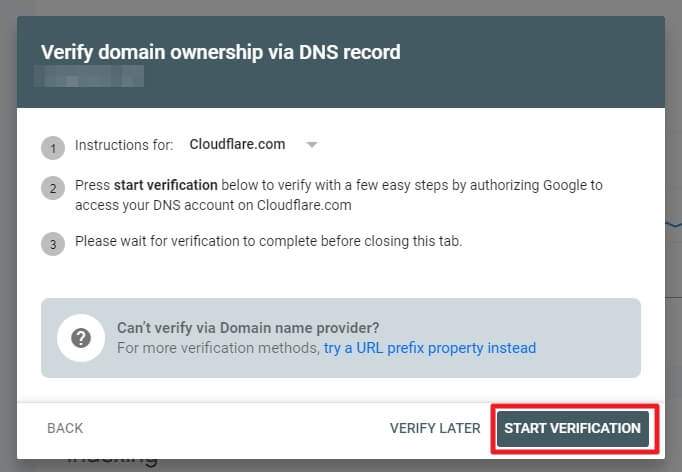
4. GSC will detect the DNS manager automatically. In most cases, you can just click Start Verification.
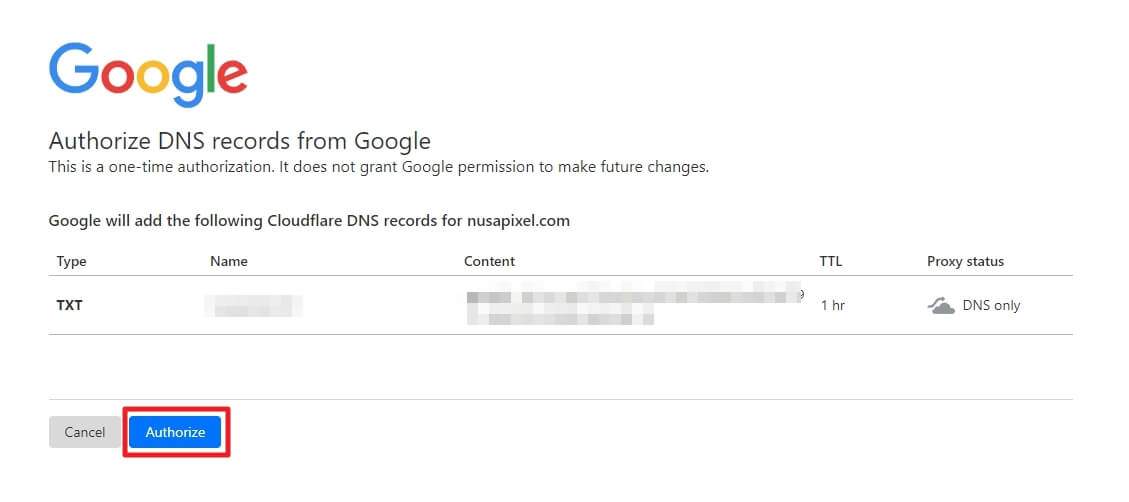
5. A new authorization window will appear. Click Authorize.
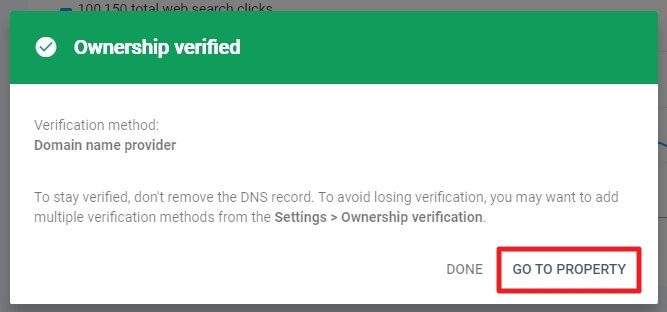
6. When the process is completed, click Go to property.
7. Your website has been verified on Google Search Console and is read to start collecting data.
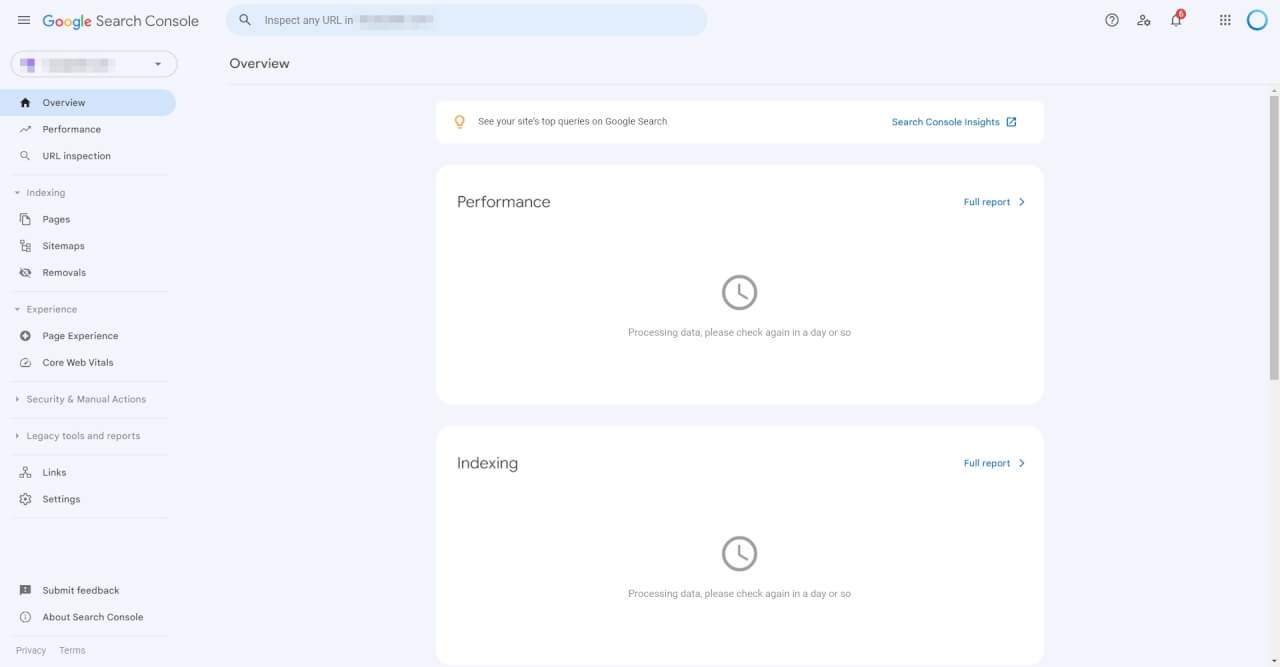
Please note that it may take a few days or even weeks to populate the indexing and performance data.
Using WordPress? I highly recommend Cloudways as the hosting provider as it’s the fastest managed hosting with the price of shared hosting. Give it a try!
Next Steps After Verifying Your Site
Now that your domain is verified, you can start using Search Console to monitor and improve your site’s presence in Google search:
- Submit a Sitemap: Add your XML sitemap in Search Console so Google can better crawl and index your site.
- Check Indexing Status: See which pages Google has discovered and check for crawl errors blocking pages.
- View Search Analytics: Analyze how your pages rank for keywords and optimize content.
Be sure to verify any other domains or subdomains you want data for. Overall, taking the time to verify your website provides tremendous SEO value.
Compared: Domain vs URL Prefix
| Domain Method | URL Prefix Method | |
|---|---|---|
| Scope | Verifies entire domain and subdomains | Verifies specific URL prefix only |
| Verification Method | DNS record (TXT) | DNS, HTML file, Google Analytics, Google Tag Manager |
| Ownership | Verifies ownership of root domain | Can verify sections or subfolders |
| Flexibility | Only DNS verification option | Multiple verification methods |
| Use Cases | Best for whole site verification | Useful for specific sections of a large site |
Overall, the Domain method is simpler but more limited, while the URL Prefix option provides more verification methods and flexibility. The Domain method is recommended for verifying an entire domain, while the URL Prefix can be useful for specific sections of a large site.
Conclusion
I hope this guide provided a clear overview of verifying a website through the Domain method in Google Search Console. The process only takes a few minutes once you have the prerequisites covered.
Take the time to verify your site – the SEO insights are invaluable. Search Console should be a staple tool for marketers, webmasters, agencies, and companies serious about optimizing their presence in Google search results.
For any issues with the verification process, be sure to check Search Console help documentation or reach out to Google Search Console Help.
FAQs
How do I verify a domain in Google Search Console?
Go to Search Console, click Add Property, select Domain, enter domain, choose verification method, follow prompts.
How do I verify a domain on my website?
Add verification code to DNS records or website files based on the method chosen in Search Console.
How many ways can you verify a website provided by GSC?
Google Search Console provides 7 ways to verify a website: DNS, HTML file, HTML tag, Google Analytics, Google Tag Manager, Google Sites, and Blogger.
How to check if a website is connected to Google Search Console?
View website source code and look for google-site-verification meta tag, or check DNS records for verification TXT record.