Key takeaways:
- Removes those annoying citation numbers and links from Perplexity answers
- Lets you pick what to clean—citation numbers, links, or the “Answer from Perplexity” label
- No Chrome extension needed, just paste and clean
Ever tried to copy text from Perplexity and ended up with those little numbers everywhere? Yeah, those are citation links, and they can really mess up your docs or emails. Manually deleting them is a pain, and Chrome extensions don’t always work when Perplexity updates its look. I’ve got a better way. This post is all about a tool that wipes out those citation numbers and links in one click. No extension, no waiting for updates—just clean text, your way.
Table of Contents
- Why Perplexity Adds Citation Numbers and Why They’re Annoying
- Chrome Extensions Tried to Solve It, but They’re Not Reliable
- Introducing a Customizable Online Tool for Cleaning Perplexity Text
- Why This Tool Is More Reliable Than Extensions
- Step-by-Step: Cleaning Your Perplexity Answer
- Customization: Keep What You Want, Remove What You Don’t
- No More Waiting for Extensions to Update
- Clean Text Means Better Productivity
- Table: What the Tool Can Remove
- When Would You Want to Keep Citations?
- Tips for Pasting Clean Text Into Google Docs
- Why Not Just Use Find and Replace?
- Who Should Use This Tool?
- Final Thoughts: Clean Up Your Workflow
- FAQs
- How do I remove citation numbers from Perplexity answers?
- Can I keep the citation numbers but remove the label?
- Do I need to install anything?
- What if Perplexity changes its layout?
- Can I use this for other AI-generated text?
Why Perplexity Adds Citation Numbers and Why They’re Annoying
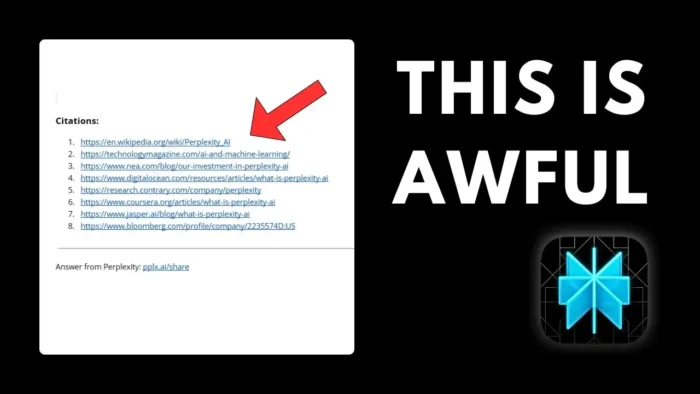
So here’s the deal: Perplexity is built for research. That’s why it drops those little numbers at the end of sentences—they point to sources. Makes sense for fact-checking, but if you’re just trying to copy a clean paragraph into Google Docs, it’s a headache. You get a messy citation list at the bottom, and now there’s even a “Answer from Perplexity” tag thrown in. Editing all that out by hand? No thanks.
Chrome Extensions Tried to Solve It, but They’re Not Reliable
There was a Chrome extension called pressplexity that added a “Copy Clean” button. It worked for a while. You’d hit the button, paste your text, and boom—no citations, no label, just clean paragraphs. But here’s the catch: when Perplexity changes its interface, the extension breaks. Then you’re stuck waiting for an update, which can take days. Plus, not everyone wants to install another extension just for this.
If you’re tired of extensions breaking, you might want to check out how to reset Google Chrome to its default settings if your browser gets too cluttered.
Introducing a Customizable Online Tool for Cleaning Perplexity Text
I got fed up and built my own tool: Perplexity Citations and Link Stream. It’s online, so you don’t need to install anything. You just paste your messy Perplexity answer, pick what you want to remove—citation numbers, citation list, the “Answer from Perplexity” label, or any combo—and hit clean. The tool processes your text and spits out a clean version, ready to paste wherever you want.
Here’s how it works:
- Copy your Perplexity answer (with all the numbers and labels)
- Paste it into the tool
- Choose what you want to strip out (numbers, links, label)
- Click clean
- Copy the result—no more citation clutter
Why This Tool Is More Reliable Than Extensions
Since it’s not tied to the Perplexity interface, it doesn’t break when they update the site. No waiting on developers, no browser compatibility issues. You’re in control, and you can customize what gets cleaned. Want to keep the citation numbers for credibility but lose the label? Easy. Want to nuke everything? Also easy.
If you’re a Google Docs user, this is a lifesaver. You can paste clean content straight into your doc, without having to change margins in Google Docs or mess around with formatting.
Step-by-Step: Cleaning Your Perplexity Answer
- Copy the answer from Perplexity (with all the citation numbers and label)
- Go to the Perplexity Citations and Link Stream tool (link in the video description)
- Paste your text into the box
- Pick your cleaning options:
- Remove citation numbers
- Remove citation list
- Remove “Answer from Perplexity” label
- Any combination you want
- Hit “Clean”
- Copy the cleaned text
- Paste it wherever you need—Google Docs, email, wherever
Customization: Keep What You Want, Remove What You Don’t
Sometimes you want to keep the citation numbers and links for credibility, just lose the label. Or maybe you want everything gone. This tool lets you pick. It’s not all-or-nothing. That’s the beauty of it—full control, no fuss.
If you’re working with PDFs or want to edit a PDF in Chrome, you know how important clean text is for formatting.
No More Waiting for Extensions to Update
Browser extensions are at the mercy of Perplexity’s UI changes. This tool isn’t. It just cleans the text, no matter how the site looks. Fast, simple, and always works.
Clean Text Means Better Productivity
No more wasting time deleting numbers and labels. Just copy, clean, paste, done. If you’re a student, researcher, or anyone who uses Perplexity for content, this is a huge time-saver.
If you’re looking for more ways to speed up your workflow, check out how to speed up Windows easily or how to make Chrome consume less memory.
Table: What the Tool Can Remove
| Option | What It Does |
|---|---|
| Citation numbers | Removes,, etc. from the text |
| Citation list | Deletes the source list at the bottom |
| “Answer from Perplexity” tag | Removes the label from the answer |
| Custom combo | Mix and match what to keep or remove |
When Would You Want to Keep Citations?
Sometimes you actually want those citation numbers or links, like if you’re writing a research paper and need to show your sources. This tool lets you keep those while removing just the stuff you don’t want—like the label, or the citation list at the bottom.
Tips for Pasting Clean Text Into Google Docs
After cleaning, your text is ready for Google Docs. No weird formatting, no extra numbers. If you run into formatting issues, you can always clear formatting in Word or save Google Docs as PDF for a polished finish.
Why Not Just Use Find and Replace?
You could try using Find and Replace in your editor, but that gets messy. Citation numbers aren’t always the same, and you might miss some. The tool does all the pattern-matching for you, so you don’t have to hunt down every,, etc.
Who Should Use This Tool?
- Students copying answers for assignments
- Researchers building reports
- Anyone who wants clean text from Perplexity without the extra junk
If you’re dealing with a lot of copy-pasting, you might also want to change Chrome’s default download location to keep your files organized.
Final Thoughts: Clean Up Your Workflow
No more fighting with citation numbers or waiting for Chrome extensions to catch up. Just paste, clean, and move on. Your docs look better, your workflow is smoother, and you’re not wasting time on cleanup.
Want more tech tips? How to download YouTube video from all devices is a good place to start if you’re tired of browser clutter.
FAQs
How do I remove citation numbers from Perplexity answers?
Just copy your answer, paste it into the tool, pick “remove citation numbers,” and hit clean. Done.
Can I keep the citation numbers but remove the label?
Yep, the tool lets you pick exactly what you want to remove. Just uncheck the options you want to keep.
Do I need to install anything?
Nope, it’s all online. No Chrome extension, no downloads.
What if Perplexity changes its layout?
The tool still works, since it just cleans the text you paste in—not the site itself.
Can I use this for other AI-generated text?
If the text uses the same kind of citation numbers or labels, it should work. Just paste and see what happens.